You installed a new antenna, but the signal range is disappointing. This is frustrating and makes you question the equipment. The issue is often the gap between lab specs and reality.
Your antenna's real-world range is often shorter because advertised specs are measured in perfect lab conditions. In reality, physical obstacles like walls, interference from other electronics, and even weather can significantly degrade the signal and reduce its effective reach. It's a common and manageable issue.
I've seen this happen countless times in my 20+ years as an antenna engineer. A client calls, confused about why their range is only a fraction of what they saw on the datasheet. The truth is, the datasheet tells only half the story. To really understand why this happens, we need to pull back the curtain on how we test antennas and what happens the moment they enter your world. It's a journey from a perfect, silent room to the noisy, unpredictable environment where you actually need your signal to work.
Do Lab Tests Show the True Antenna Performance?
You trust the datasheet, expecting the performance it promises. But when the antenna underperforms in the field, you might feel misled. Let me explain what those lab tests really mean.
Lab tests, performed in anechoic chambers, show an antenna's maximum potential by removing all external variables. They don't represent real-world performance, which is always affected by the environment. Think of these specs as a perfect-condition benchmark, not a field guarantee.
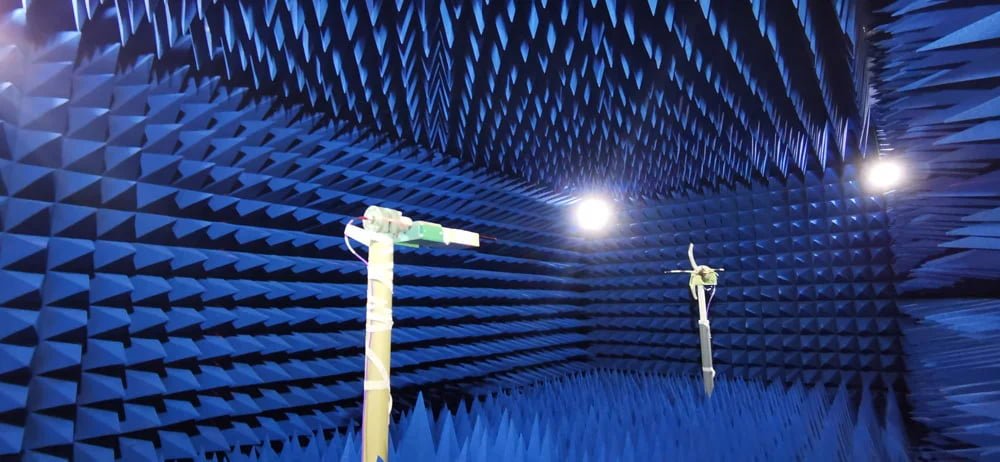
When I step into our anechoic chamber, it's like entering another world. It's eerily quiet. The walls, ceiling, and floor are covered in foam pyramids that absorb all radio waves, preventing any reflections. We control the temperature and humidity precisely. In this perfect isolation, we can measure an antenna's pure performance. We get clean, repeatable data on its gain, radiation pattern, and efficiency. This is the only way to verify that the antenna was built to its design specifications. But the real world is nothing like this. It's filled with radio noise and physical barriers. The lab gives us an essential baseline, but it's just the starting point.
Here’s a simple breakdown of the difference:
| Characteristic | Lab (Anechoic Chamber) | Real World |
|---|---|---|
| RF Interference | None (Shielded) | Unpredictable and High |
| Obstacles | None | Many (Walls, Furniture) |
| Reflections | Eliminated | Constant (Multipath) |
| Temp/Humidity | Stable and Controlled | Fluctuating |
This is why the data sheet is a guide to the antenna's capability, not a promise of its range in your specific location.
How Do Physical Obstacles Weaken Your Signal?
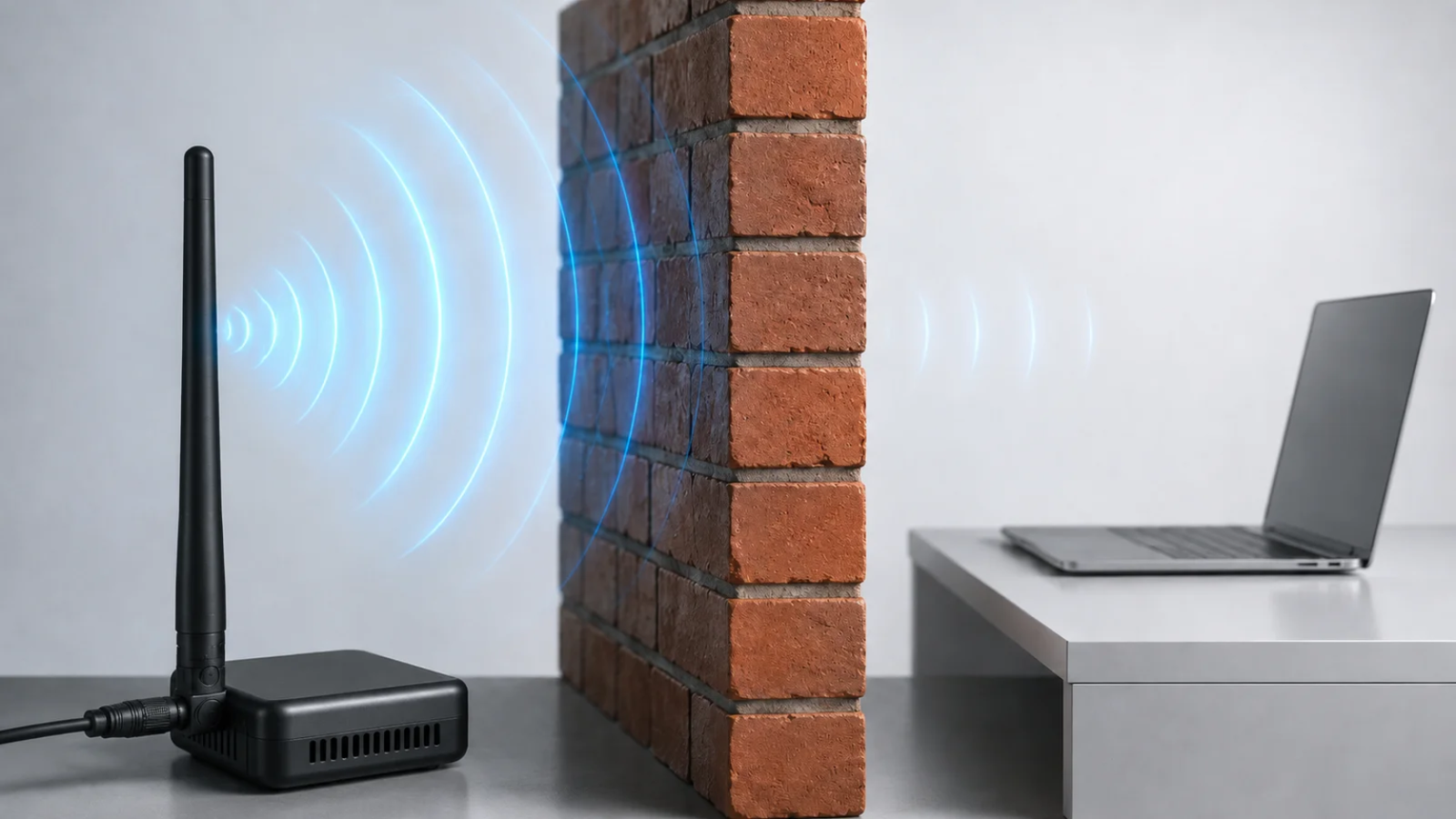
Your signal is strong in one room but nearly gone behind a single wall. This unpredictability is frustrating and limits where your devices work. Let's look at how materials block radio waves.
Physical obstacles weaken your signal through absorption, reflection, and diffraction. Materials like concrete, metal, and even water absorb radio frequency energy. This converts the signal's power into tiny amounts of heat, effectively shortening its range with every barrier it must pass through.
In my experience, the number one reason for poor range is almost always the physical environment. A radio signal is a form of energy, and when it hits an object, that energy has to go somewhere. There are a few things that can happen.
Signal Absorption
The signal tries to pass through an object, but the material absorbs some of its energy, converting it to a tiny bit of heat. The denser the material, the more energy it absorbs. This is the most common way signals lose strength indoors.
Signal Reflection
The signal bounces off a surface, especially smooth, conductive ones like metal file cabinets, mirrors, or steel-reinforced walls. This can create a problem called "multipath," where the same signal arrives at the receiver multiple times via different paths, confusing the device.
Signal Diffraction
The signal bends around the edges of an object. This can help the signal get around a barrier, but it also causes the wave to spread out and lose power.
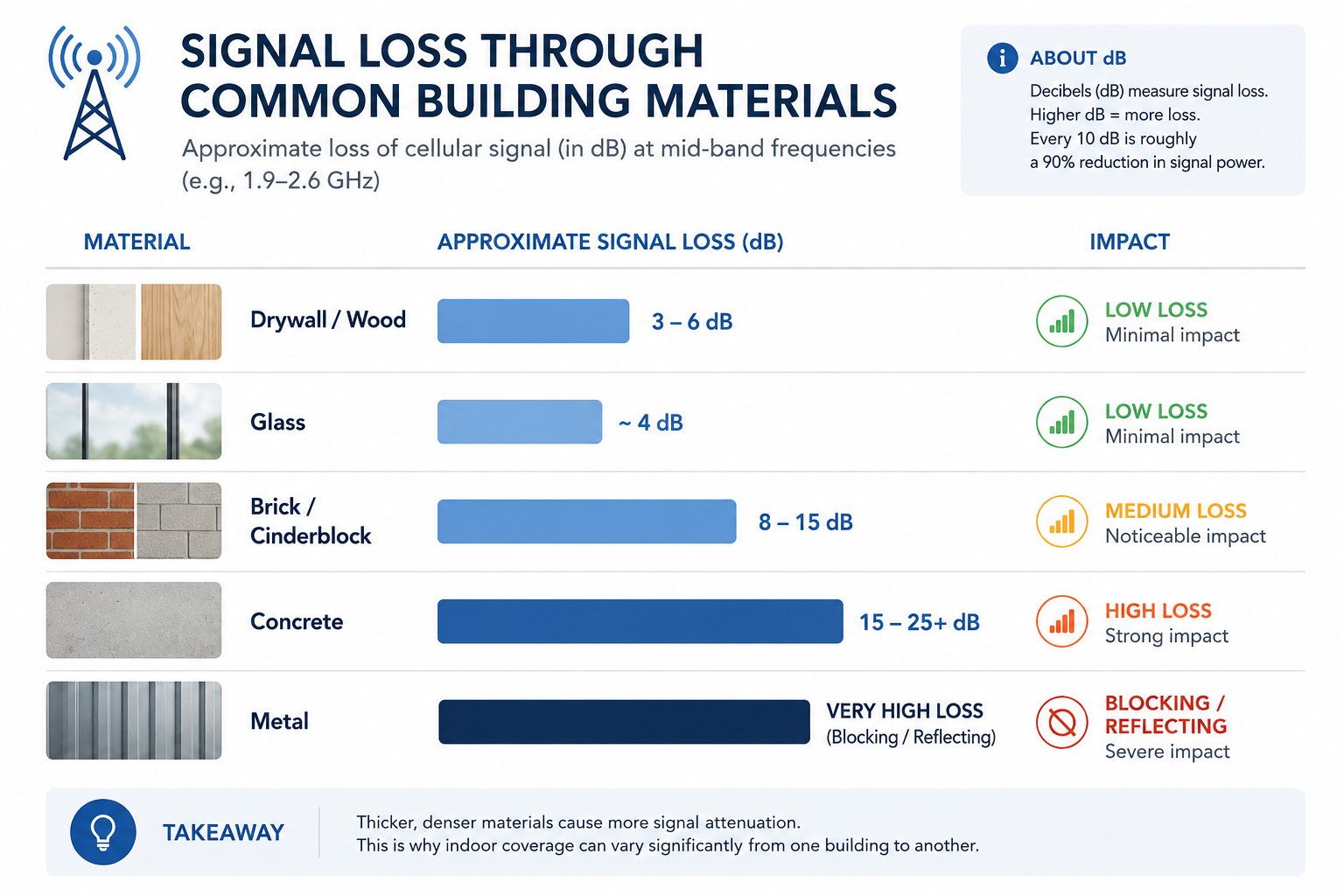
Different materials affect the signal differently. Here's a rough idea of how much signal you might lose with common building materials.
| Material | Signal Loss (Approximate) | Impact on Range |
|---|---|---|
| Drywall / Wood | Low (~3-6 dB) | Minor |
| Glass (untreated) | Low (~4 dB) | Minor |
| Brick / Cinderblock | Medium (~8-15 dB) | Significant |
| Concrete | High (~15-25+ dB) | Severe |
| Metal | Very High (Blocks/Reflects) | Extreme |
Every wall, floor, and piece of furniture acts like a filter, chipping away at your signal's strength and shortening its reach.
Can Other Wireless Devices Interfere With Your Antenna?
Your connection is unstable, even with a clear line of sight. These random drops and slow speeds are maddening, making reliable communication impossible. The problem might be an invisible storm of interference.
Yes, other wireless devices can cause significant interference, especially if they operate on the same frequency. Your antenna hears all signals, not just yours. This "noise" can overwhelm the desired signal, leading to data errors, re-transmissions, and a much shorter effective range.
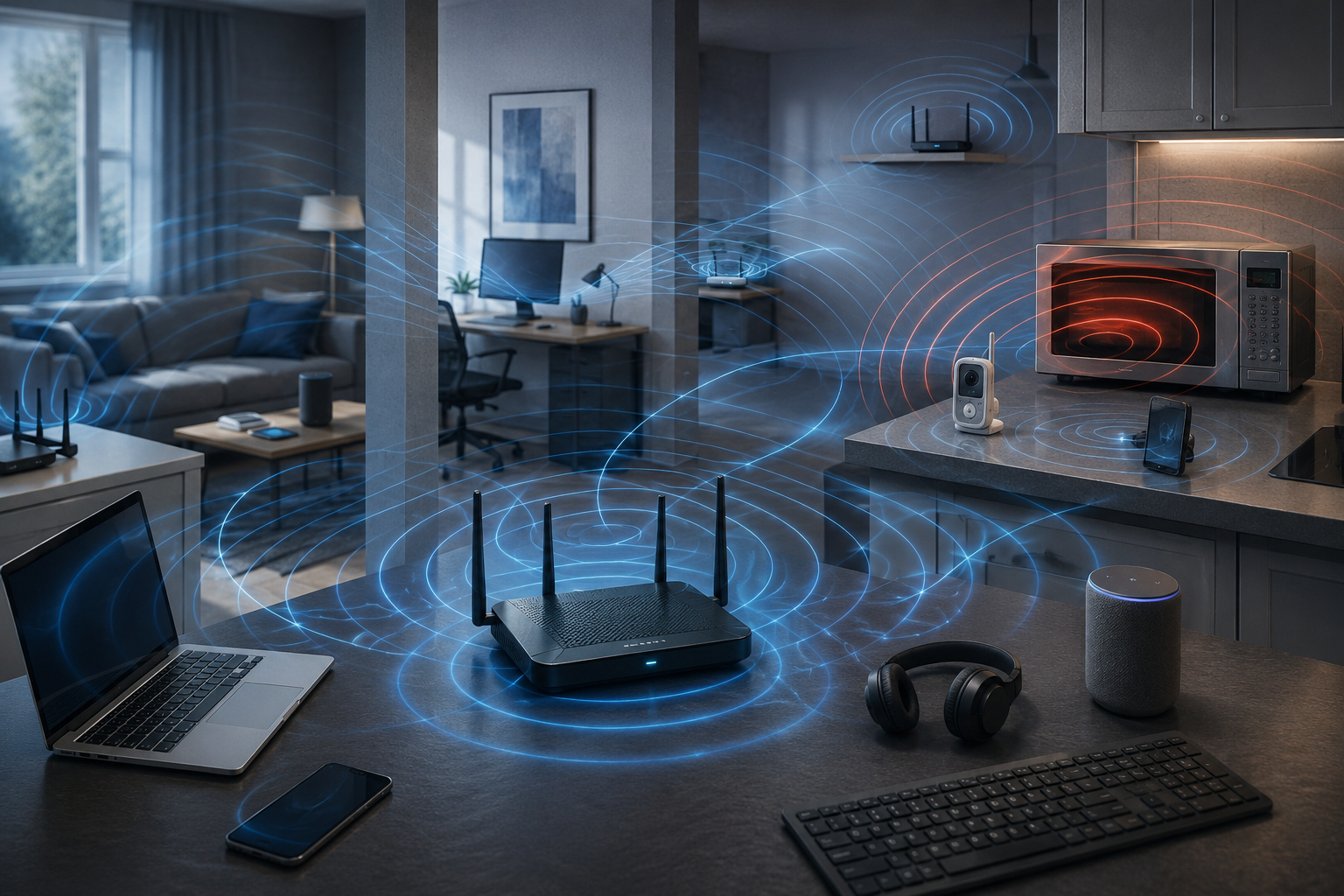
Think of the radio spectrum as a busy highway. Your antenna is trying to listen to one car, but there are hundreds of others honking around it. The 2.4 GHz frequency band is a perfect example of this. It’s an unlicensed band, which means anyone can use it. This has led to it becoming incredibly crowded. As an engineer, identifying sources of this "noise" is a huge part of troubleshooting range issues.
Here are some of the most common sources of interference:
Other Wi-Fi Networks
Your neighbors' Wi-Fi routers are all shouting in the same frequency band as yours. If you live in an apartment building, there could be dozens of networks competing for the same limited airtime.
Bluetooth Devices
Your wireless headphones, mouse, keyboard, and speakers all use the 2.4 GHz band. While they use low power, having many of them active at once adds to the overall noise.
Household Appliances
The biggest offender is often the microwave oven. It can leak a massive amount of RF noise directly in the 2.4 GHz range when it's running. Other culprits include older cordless phones, baby monitors, and even some security cameras.
This combined interference raises the "noise floor." Imagine trying to whisper to a friend across a quiet room versus shouting across a loud concert. When the noise floor is high, the signal from your device needs to be much stronger (or closer) to be understood by the antenna. This effectively shrinks your usable range.
Conclusion
Your antenna's performance is a team effort between its design and the real world. Understanding obstacles and interference helps you set realistic expectations and optimize your wireless system effectively.