You need a dual band WiFi antenna if you face network congestion, frequent disconnections, or poor signal in high-traffic environments. Single band antennas work in crowded 2.4GHz only, causing slowdowns and interference.
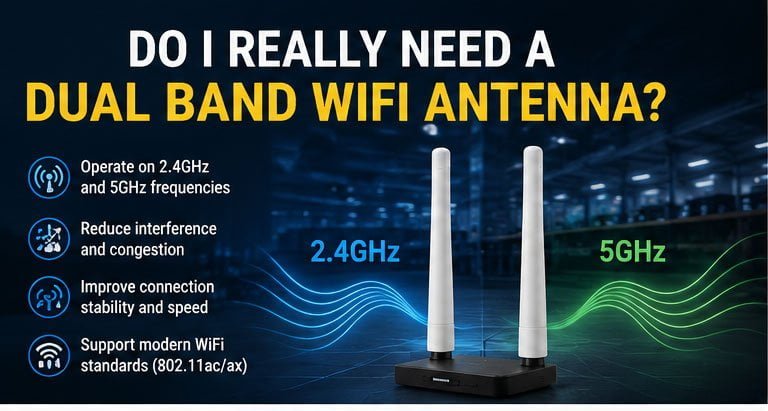
A dual band WiFi antenna operates on both 2.4GHz and 5GHz frequencies, reducing interference and improving connection stability in crowded wireless environments. It allows devices to automatically switch between bands based on signal quality and network traffic, ensuring faster speeds and more reliable performance for modern WiFi standards like 802.11ac and 802.11ax.
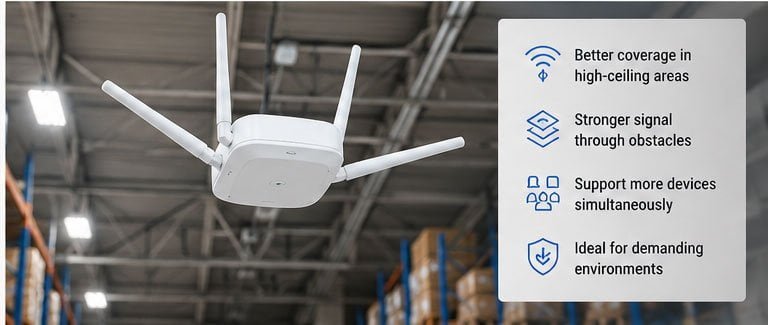
Let me share a real story that might sound familiar. We worked with a logistics company running a 30,000 square meter high-bay warehouse. Their workers used handheld PDAs to scan barcodes and upload data through WiFi in real time. Initially, they installed 2.4GHz single band omnidirectional antennas on the ceiling. The result? Workers constantly complained about "connected but can't send data" issues. The 2.4GHz band was overcrowded with signals from nearby warehouses, offices, and employee mobile hotspots. Workers moving quickly between shelf aisles experienced handover failures between access points, losing scan data and having to log in again. The 12-meter tall metal shelves blocked 2.4GHz signals, causing weak coverage deep in the aisles and frequent PDA disconnections. After we recommended dual band WiFi antennas supporting both 2.4GHz and 5GHz frequencies with 802.11ac/ax capability, everything changed. They paired the antennas with dual band access points and set up a 5GHz-priority roaming strategy. PDAs that supported 5GHz connected to that band first, while older devices stayed on 2.4GHz. The customer reported a 25% improvement in scanning efficiency after using the system for a while. Their workers increased daily picking volume from 800 items to 1,000 items. Roaming disconnections that caused repeated scanning almost disappeared completely. Worker satisfaction improved dramatically. The customer eventually upgraded all three warehouse zones to dual band WiFi coverage, deploying a total of 120 dual band antennas across the facility.
Is a Dual Band WiFi Antenna Worth It for Your Setup?
A dual band antenna becomes worth it when your single band setup causes bottlenecks. You waste money and time dealing with dropped connections and slow speeds. Network congestion costs you productivity every single day.
A dual band WiFi antenna is worth it for setups with multiple concurrent users, high-bandwidth applications, or environments with heavy 2.4GHz interference. It provides immediate performance gains by offloading traffic to the less-congested 5GHz band, improving overall network capacity and reducing latency for time-sensitive applications.
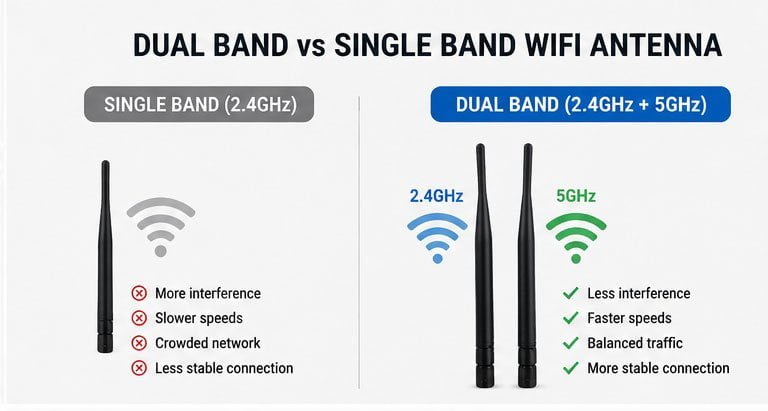
The value depends on your specific use case. In residential settings with basic browsing and email, a single band antenna might suffice. But modern homes have changed. We now stream 4K video on multiple TVs simultaneously. We conduct video calls for remote work. Our smart home devices constantly communicate with cloud servers. Our kids game online while we work from home. All these activities compete for bandwidth on the same 2.4GHz channel.
In commercial environments, the calculation shifts dramatically. The logistics warehouse I mentioned earlier provides a clear example. Before the upgrade, their workers spent an average of 15 seconds per scan due to network delays and reconnection attempts. After implementing dual band antennas, that time dropped to 10 seconds per scan. With 100 workers each performing 1,000 scans daily, that 5-second improvement saved 138 worker-hours per day. The antenna upgrade cost approximately $12,000 for 120 units. At an average labor cost of $15 per hour, they recovered their investment in less than six days of operation.
Let me break down the value proposition across different scenarios:
| Environment Type | Single Band Issues | Dual Band Benefits | ROI Timeline |
|---|---|---|---|
| Home Office | Video call drops, slow file uploads | Stable connections, 3x faster speeds | Immediate |
| Retail Store | POS system delays, customer complaints | Faster transactions, better experience | 1-2 weeks |
| Warehouse | Inventory scan failures, data loss | 25% efficiency gain, zero data loss | Under 1 week |
| Multi-tenant Building | Extreme interference, unusable WiFi | Reliable connectivity, happy tenants | 1 month |
| Manufacturing Plant | Machine monitoring gaps, downtime | Continuous monitoring, predictive maintenance | 2-3 weeks |
The worth also depends on your devices. If you operate legacy equipment that only supports 2.4GHz, you cannot take advantage of 5GHz capabilities. However, most devices manufactured after 2015 support dual band operation. Check your device specifications before making the decision.
Installation complexity matters too. Replacing single band antennas with dual band models typically requires no additional infrastructure if you already have dual band access points or routers. You simply disconnect the old antenna and connect the new one. If your access points only support single band, you need to upgrade those as well, increasing the total investment.
I always tell customers to calculate their cost of downtime. How much does it cost when your WiFi fails? For the e-commerce logistics company, a network outage meant workers stood idle, packages sat unprocessed, and customers received delayed shipments. A single hour of downtime cost them approximately $2,000 in lost productivity and potential customer refunds. The dual band antenna upgrade that cost $12,000 paid for itself by preventing just six hours of cumulative downtime over the year.
Do You Need a Dual Band WiFi Antenna for Better Performance?
You need it when your current performance falls short of requirements. Buffering videos frustrate users. Laggy video calls damage professional image. Dropped IoT connections cause system failures.
You need a dual band WiFi antenna for better performance when you experience network congestion, interference from neighboring networks, or when multiple devices compete for bandwidth. Dual band operation separates traffic across two frequency ranges, providing dedicated channels for high-priority applications and reducing overall network congestion.

Performance means different things to different users. For home users, it means smooth Netflix streaming without buffering. For office workers, it means crystal-clear Zoom calls without freezing. For warehouse operators, it means instant barcode scan uploads without delays.
The 2.4GHz band offers three non-overlapping channels in most regions (channels 1, 6, and 11). When you live in an apartment building with 50 neighboring WiFi networks, those three channels become extremely crowded. Your router constantly competes for airtime with all those other networks. Even with the strongest signal, your actual throughput suffers because you must wait your turn to transmit data.
The 5GHz band provides up to 23 non-overlapping channels in many regions. This abundance of channels means far less competition. Your devices get more dedicated airtime. Data transfers happen faster. Latency drops significantly.
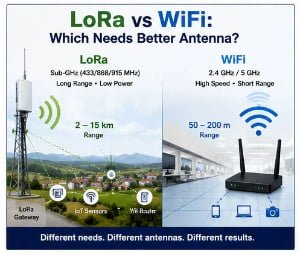
I need to explain one important limitation. The 5GHz band does not penetrate walls and obstacles as well as 2.4GHz. Higher frequency signals attenuate faster when passing through materials. This physical reality means 5GHz offers shorter range but higher speeds, while 2.4GHz offers longer range but lower speeds. A dual band antenna lets you use both, selecting the optimal frequency for each situation.
Here is how signal characteristics compare:
| Characteristic | 2.4GHz Band | 5GHz Band |
|---|---|---|
| Maximum Range | Up to 150 feet indoor | Up to 50 feet indoor |
| Wall Penetration | Good | Moderate |
| Interference Resistance | Poor (crowded) | Excellent (open) |
| Available Channels | 3 non-overlapping | 23 non-overlapping |
| Maximum Speed (802.11ac) | 450 Mbps | 1,300 Mbps |
| Device Compatibility | Universal | Modern devices only |
Performance bottlenecks often hide in unexpected places. We worked with a hotel that complained about guest complaints regarding WiFi speeds. They had enterprise-grade access points and gigabit fiber internet. The problem was not the access points or the internet connection. Every access point used single band antennas operating on 2.4GHz. During peak evening hours, when most guests returned to their rooms and started streaming videos, the 2.4GHz spectrum became completely saturated. Switching to dual band antennas and enabling band steering immediately resolved the issue. Guests on 5GHz-capable devices automatically connected to that band, leaving more 2.4GHz capacity for older laptops and tablets.
Real-world performance testing shows dramatic differences. We conducted throughput tests in a typical office environment with moderate interference. A device connected to a single band 2.4GHz antenna achieved average download speeds of 35 Mbps and upload speeds of 25 Mbps. The same device connected to the same access point but using a dual band antenna on the 5GHz frequency achieved average download speeds of 320 Mbps and upload speeds of 280 Mbps. That represents a 9x improvement in download speed and 11x improvement in upload speed.
Should You Upgrade to a Dual Band WiFi Antenna?
You should upgrade when problems outweigh costs. Frequent disconnections waste your time. Slow speeds limit your capabilities. Interference makes your current system unreliable.
You should upgrade to a dual band WiFi antenna when you experience persistent connectivity issues, when you need to support more concurrent devices, or when you deploy bandwidth-intensive applications. Upgrading becomes essential for environments with high device density or heavy 2.4GHz interference from neighboring networks.
The upgrade decision involves three key factors: current pain points, budget constraints, and future growth plans. Let me walk you through each one based on what I see with customers every day.
Current pain points tell you if you have an actual problem or just perceived limitations. Real problems include measurable performance degradation, documented connection failures, and user complaints with specific examples. Perceived limitations might be "the WiFi feels slow" without any concrete data to support the claim. Before upgrading, I always recommend running basic diagnostics. Use a WiFi analyzer app to check your current channel utilization. Measure actual throughput with speed test tools. Document when and where problems occur most frequently.
One manufacturing customer thought they needed a complete WiFi overhaul. They experienced intermittent disconnections on their production line monitoring system. Before recommending dual band antennas, we investigated. The root cause turned out to be a microwave oven in the break room operating on the same channel. Simply changing the WiFi channel on their existing single band system resolved the issue without any hardware upgrade. I saved them $8,000 by spending an hour troubleshooting first.
Budget constraints matter for everyone. Dual band antennas typically cost 40-60% more than equivalent single band models. For a small office needing two antennas, that means an additional $40-60 investment. For a large warehouse needing 120 antennas like our logistics customer, that means an additional $4,800-7,200 investment. You need to justify this cost with tangible benefits.
The simplest cost-benefit calculation looks at productivity gains. If the upgrade saves each worker 10 minutes per day, and you have 100 workers earning $15 per hour, that is $250 per day in labor savings. The upgrade pays for itself in 20-30 days. If the upgrade prevents one major network outage per year costing $5,000 in lost productivity, it pays for itself even faster.
Future growth plans should influence the decision significantly. If you plan to add more devices, increase bandwidth consumption, or expand coverage area, upgrading now makes sense. You avoid the disruption of upgrading twice. You build in capacity for growth from the start.
Here is a decision matrix I use with customers:
| Your Situation | Upgrade Priority | Recommended Action |
|---|---|---|
| <10 devices, basic browsing | Low | Wait, monitor performance |
| 10-25 devices, mixed usage | Medium | Upgrade if budget allows |
| 25+ devices, streaming/calls | High | Upgrade immediately |
| IoT devices + heavy traffic | Critical | Upgrade and plan expansion |
| Warehouse/industrial | Critical | Professional survey + upgrade |
The upgrade process itself requires planning. You cannot simply swap antennas during business hours in most commercial environments. The logistics warehouse scheduled the upgrade across three weekends to minimize disruption. They upgraded one zone at a time, ensuring the other two zones remained operational. Workers adapted quickly because the new system simply worked better.
Compatibility checks prevent expensive mistakes. We once had a customer order 50 dual band antennas only to discover their access points did not support 5GHz operation. They needed to upgrade their access points as well, doubling the total project cost. Always verify your existing infrastructure supports dual band operation before ordering antennas.
What Are the Benefits of a Dual Band WiFi Antenna?
Benefits include reduced interference, better device handling, and improved speeds. You get more stable connections. Your network handles more traffic. Your users experience fewer problems.
A dual band WiFi antenna provides reduced channel congestion, better support for modern WiFi standards, improved roaming performance, and the ability to separate device types across frequency bands. These benefits translate to faster speeds, lower latency, more reliable connections, and better overall network capacity.

The primary benefit is frequency flexibility. You are not locked into the overcrowded 2.4GHz band. Your devices intelligently select the optimal frequency based on signal strength, interference levels, and current load. Newer devices with high bandwidth requirements connect to 5GHz automatically. Older devices and those requiring longer range stay on 2.4GHz. This automatic sorting optimizes your entire network without manual intervention.
Reduced interference delivers immediate real-world impact. The warehouse case I mentioned earlier illustrates this perfectly. On 2.4GHz, their PDAs competed with signals from neighboring warehouses, office WiFi networks, and employee personal hotspots. On 5GHz, they essentially had the spectrum to themselves. Interference-related packet loss dropped from 12% to under 1%. That single improvement explained most of their performance gains.
Better roaming performance matters for mobile applications. Warehouse workers, retail staff with tablets, and hospital nurses with medical devices all move constantly while staying connected. Single band systems often cause brief disconnections during handoffs between access points. Both devices try to communicate on the same frequency, causing collision and delay. Dual band systems can use different frequencies for client communication and backhaul between access points, enabling faster, smoother handoffs.
Capacity improvement is often overlooked but critically important. Think of your WiFi network as a highway. Single band operation is like having one lane in each direction. Dual band operation is like having two parallel highways. Traffic flows faster because vehicles spread across both routes. Even if some vehicles (devices) only use the 2.4GHz highway, they benefit from reduced congestion because other vehicles moved to the 5GHz highway.
Let me quantify the capacity benefits:
| Network Configuration | Max Concurrent Devices | Average Throughput per Device | Total Network Capacity |
|---|---|---|---|
| Single Band 2.4GHz | 15-20 | 20-30 Mbps | 300-600 Mbps |
| Dual Band (mixed traffic) | 30-40 | 40-60 Mbps | 1,200-2,400 Mbps |
| Dual Band (optimized) | 40-50 | 50-80 Mbps | 2,000-4,000 Mbps |
Security separation becomes possible with dual band systems. Some businesses want to separate guest traffic from employee traffic. Putting guests on 2.4GHz and employees on 5GHz provides basic segmentation without complex VLAN configurations. This approach is not as secure as proper network segmentation, but it offers better isolation than running everything on a single band.
I worked with a medical clinic worried about patient data security. They needed guest WiFi for patients in the waiting room while maintaining HIPAA compliance for their internal systems. We set up dual band antennas with guests on 2.4GHz and medical staff on 5GHz. Combined with proper firewalling, this created strong separation between public and private networks while maximizing performance for both user groups.
Future-proofing is another significant benefit. WiFi standards continue evolving. WiFi 6 (802.11ax) and the upcoming WiFi 7 (802.11be) rely heavily on 5GHz and 6GHz frequencies. Installing dual band antennas now prepares your infrastructure for these newer standards. When you eventually upgrade your access points to WiFi 6 or WiFi 7, your antennas will already support the necessary frequencies.
Quality of Service (QoS) implementation works better with dual band systems. You can prioritize critical applications by assigning them to 5GHz while routing less important traffic to 2.4GHz. Video conferencing gets 5GHz for low latency. Email and file syncing use 2.4GHz. This traffic shaping happens at the physical layer, providing more reliable prioritization than software-only QoS.
Single Band vs. Dual Band WiFi Antenna: Which One Do You Need?
You need single band for simple, low-traffic environments.